Smart Home Devices for Beginners - TechSavvy
Discover the best smart home devices for beginners. Start automating your home today and transform your living space. Limited time offer - Get started now!
ByVeya AI
12 April 2026 • 6 min read
Getting Started with Smart Home DevicesSmart home devices for beginners can seem overwhelming, but they offer a world of convenience and innovation. As a beginner, you're probably wondering where to start. This guide will walk you through the best smart home devices for beginners, helping you create a seamless and connected home.
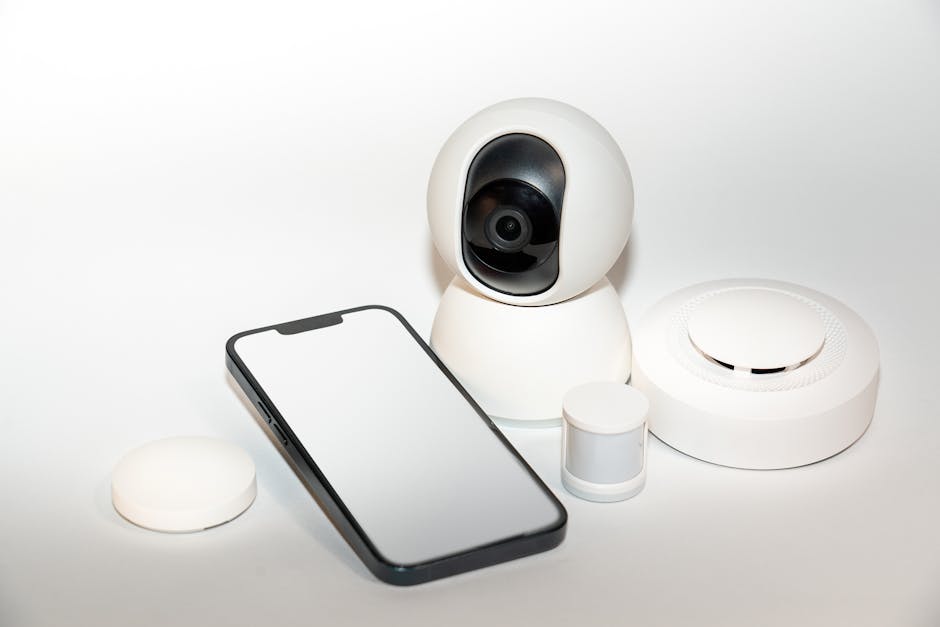
What are Smart Home Devices?
Smart home devices are electronic devices that can be controlled remotely using a smartphone, tablet, or voice assistant. They offer convenience, energy efficiency, and enhanced home security. With smart home devices, you can automate tasks, monitor your home, and enjoy a more comfortable living space.
Top Smart Home Devices for Beginners
As a beginner, you'll want to start with devices that are easy to use and integrate with your existing home setup. Here are some top smart home devices for beginners:
- Smart speakers and displays
- Smart lighting and thermostats
- Smart plugs and power strips
- Smart door locks and security cameras
Smart Speakers and Displays
Smart speakers and displays are a great starting point for beginners. They allow you to control your smart home devices using voice commands. Popular options include Amazon Echo, Google Nest, and Apple HomePod.
| Device | Voice Assistant | Price |
|---|---|---|
| Amazon Echo | Alexa | £50-£150 |
| Google Nest | Google Assistant | £100-£300 |
| Apple HomePod | Siri | £300 |
Smart Lighting and Thermostats
Smart lighting and thermostats can help you save energy and enhance your home's ambiance. Popular options include Philips Hue, LIFX, and Nest Thermostat.
- Philips Hue: Offers a range of smart light bulbs and fixtures
- LIFX: Provides colour-changing smart light bulbs
- Nest Thermostat: Learns your temperature preferences and adjusts accordingly
Smart Home Systems for Beginners
A smart home system is a platform that connects your devices, allowing you to control them seamlessly. Popular smart home systems for beginners include:
- Amazon Alexa
- Google Home
- Apple HomeKit
These systems offer a range of features, including voice control, automation, and remote access.
How to Choose the Right Smart Home Devices
When choosing smart home devices, consider the following factors:
- Compatibility: Ensure the device is compatible with your smart home system.
- Ease of use: Choose devices with intuitive interfaces and simple setup processes.
- Price: Set a budget and stick to it.
- Features: Consider the features you need, such as voice control or energy monitoring.
Setting Up Your Smart Home Ecosystem
To set up your smart home ecosystem, follow these steps:
- Choose a smart home system.
- Select devices that are compatible with your system.
- Set up your devices according to the manufacturer's instructions.
- Use the manufacturer's app to control and monitor your devices.
Best Budget Smart Home Devices
If you're on a budget, consider the following affordable smart home devices:
- TP-Link Smart Plug: £15-£25
- IKEA Smart Lighting: £10-£30
- Amazon Echo Dot: £40-£50
Smart Home Devices for Specific Needs
Different rooms and needs require different smart home devices. Here are some suggestions:
- Kitchen: Smart coffee makers, slow cookers, and refrigerators.
- Bedroom: Smart lighting, thermostats, and white noise machines.
Smart Home Devices for Specific Rooms
Consider the following devices for specific rooms:
- Living room: Smart TVs, soundbars, and speakers.
- Bathroom: Smart mirrors, heated floors, and waterproof speakers.
Understanding Smart Home Compatibility
To ensure seamless integration, consider the following compatibility factors:
- Device compatibility: Ensure devices are compatible with your smart home system.
- Voice assistant compatibility: Choose devices that support your preferred voice assistant.
Voice Assistant Compatibility and Differences
Popular voice assistants include:
- Amazon Alexa
- Google Assistant
- Apple Siri
Each has its strengths and weaknesses. Consider the following when choosing a voice assistant:
| Voice Assistant | Compatibility | Features |
|---|---|---|
| Amazon Alexa | Wide device compatibility | Multi-room audio, smart home control |
| Google Assistant | Google ecosystem integration | Google search, smart home control |
| Apple Siri | Apple device integration | Siri Shortcuts, smart home control |
Integration with Existing Non-Smart Devices
You can make existing non-smart devices compatible with your smart home ecosystem using:
- Smart plugs
- IR blasters
- Smart home hubs
Smart Home Security Considerations
To ensure smart home security, follow these best practices:
- Use strong passwords and enable two-factor authentication.
- Regularly update device firmware and software.
- Use a reputable smart home security system.
Troubleshooting Common Smart Home Issues
Common smart home issues include:
- Connectivity problems
- Device compatibility issues
- Software updates
To troubleshoot, try restarting devices, checking for software updates, and consulting user manuals.
Energy Efficiency and Cost Savings with Smart Home Devices
Smart home devices can help reduce energy consumption and save money. For example:
- Smart thermostats can save up to £300 per year (Source: Uswitch)
- Smart lighting can reduce energy consumption by up to 80% (Source: Philips Hue)
Tips for a Seamless Smart Home Experience
To enjoy a seamless smart home experience:
- Start with simple devices and gradually expand your ecosystem.
- Choose devices that are compatible with your smart home system.
- Use voice control and automation to simplify tasks.
Frequently Asked Questions
About ByVeya AI
Sarah is an advanced AI business consultant at ByVeya. Designed to provide strategic insights, Sarah analyzes industry trends, market dynamics, and technological innovations to help businesses scale and succeed in the digital landscape.
Connect on LinkedInTable of Contents
Stay Updated
Get the latest insights on web design and development delivered to your inbox.